

Microsoft Dynamics 365 Field Service Data For Invoicing
How Microsoft Dynamics 365 Field Service Supports Billing
- Service Request Review: Review service requests and customer information before creating invoice-ready records from completed field activities.
- Work Order Validation: Verify work order details, tasks, products, and services before billing information moves downstream.
- Booking Confirmation: Confirm resource assignments and completed bookings against the associated service activity and customer records.
- Usage Verification: Check consumed products and delivered services before assembling the resulting electronic invoice information.
- Invoice Preparation: Compile validated service information into invoice data for the configured Czech Republic workflow.
- Billing Reconciliation: Associate invoice outcomes with originating work orders and financial records for continued reconciliation.
Microsoft Dynamics 365 Field Service Across Service Workflows
Microsoft Dynamics 365 Field Service connects work orders, service accounts, bookings, products, technicians, and service activities, creating useful operational information for Czech Republic electronic invoicing.
- Work orders establish service billing context
- Service accounts connect customers with jobs
- Bookings provide technician scheduling references
- Products support accurate service billing information
Business Benefits For Microsoft Dynamics 365 Field Service
- Service Billing Accuracy: Validate completed work, products, and services before related billing information enters electronic invoice workflows.
- Asset-Based Visibility: Associate invoice records with customer assets to provide clearer context around delivered field services.
- Resource Traceability: Link completed bookings with invoice information to identify which service activities generated customer charges.
- Inventory Alignment: Reconcile consumed products against work orders so billed materials correspond with recorded field usage.
- Agreement Billing Control: Relate recurring service activity to agreement records for consistent invoice preparation across contracted work.
- Financial Service Continuity: Connect field operations with billing outcomes so service and finance teams share transaction references.
Microsoft Dynamics 365 Field Service Invoice Analytics
Service Completion Trends
Compare completed work orders with invoice activity to identify billing patterns across service operations.
Resource Billing Patterns
Analyze billed service activity against resource assignments to identify workload and revenue relationships.
Parts Usage Variances
Compare consumed products with invoiced quantities to identify recurring differences across service transactions.
Czech Invoicing Across Microsoft Dynamics 365 Field Service
Microsoft Dynamics 365 Field Service can connect completed service activity with Czech Republic electronic invoicing while retaining operational context from source records.
- Work orders establish service billing context
- Asset records support customer traceability
- Bookings confirm completed service activity
- Product usage validates billed materials
Link Service Activity With Digital Bills
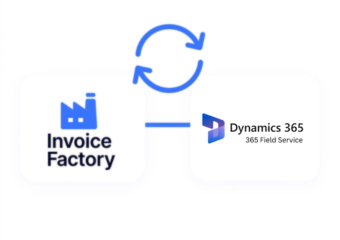
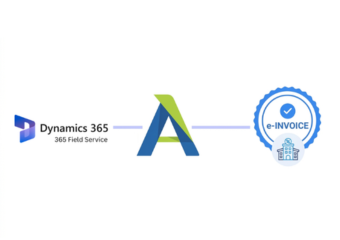
Connect Field Service transactions with Czech e-invoicing through Advintek.
Create connected workflows for service billing.
Ready e-Invoice System
Frequently Asked Questions Microsoft Dynamics e-Invoicing Czech Republic
How does Microsoft Dynamics 365 Field Service support Czech Republic e-invoicing?
Microsoft Dynamics 365 Field Service can supply the operational information behind service invoices, including work orders, customer accounts, assets, bookings, products, services, and agreements. Advintek can connect these records with the electronic invoicing process so invoice preparation reflects completed service activity and retains references to originating Field Service transactions.
Which Microsoft Dynamics 365 Field Service records can contribute to electronic invoices?
Work orders provide the central service context, while products and services can identify materials and labor associated with completed work. Customer accounts, assets, bookings, price lists, and agreement information can add further billing context depending on the configured Microsoft Dynamics 365 Field Service process.
Can completed work orders connect with Czech invoice processing?
Yes. Completed work orders can provide the source transaction for invoice preparation, particularly when products or services were delivered during the service activity. Field Service supports billing based on products and services associated with work orders, allowing an integration to connect those details with the electronic invoicing workflow.
Where do agreements fit within Microsoft Dynamics 365 Field Service e-invoicing?
Service agreements can generate recurring work orders and can also support recurring invoice processes. This makes agreement information particularly useful for businesses providing scheduled maintenance or contracted services. Connecting agreement references with invoice records can help maintain continuity between recurring service commitments, generated work orders, and resulting billing activity.
Why integrate Advintek with Microsoft Dynamics 365 Field Service Czech Republic e-invoicing?
Advintek can connect Microsoft Dynamics 365 Field Service’s operational records with Czech Republic E-invoicing, allowing service information to remain associated with invoice processing. The integration can organize data validation, document preparation, transmission, response handling, and reconciliation while preserving links to work orders, assets, bookings, products, and completed services.