

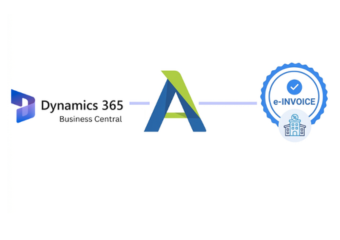
Compliance That Fits Microsoft Dynamics Business Central Users
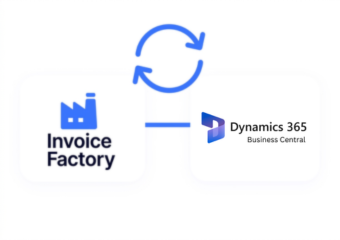
Czech E-Invoicing Connection with Microsoft Dynamics 365
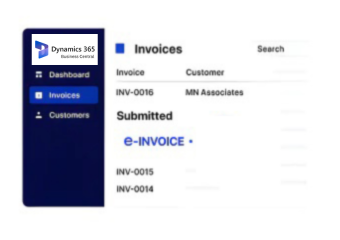
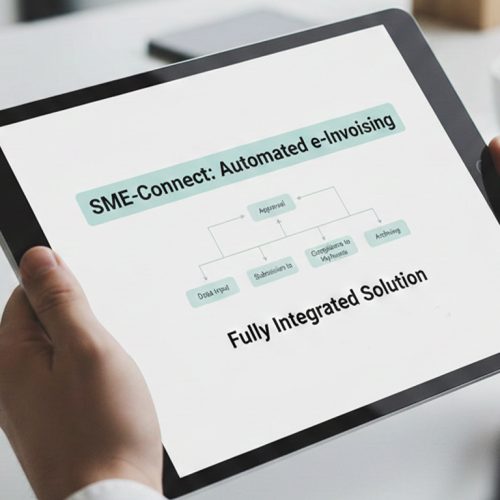
- Invoice Trigger Setup: Identify eligible sales or purchase transactions in Business Central for electronic invoice processing.
- Transaction Data Mapping: Map Business Central customer, supplier, amounts, tax, payment, and document fields to the e-invoice structure.
- Document Compliance Checks: Validate mapped invoice data, mandatory fields, VAT information, and format requirements before transmission.
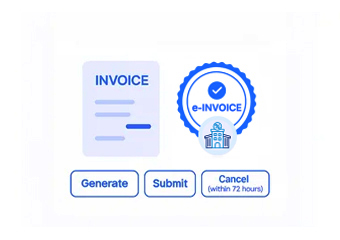
- Electronic Document Routing: Generate the structured invoice and route it through the configured e-invoicing channel.
- Response Record Update: Capture delivery responses, validation outcomes, exceptions, and processing statuses for follow-up within connected workflows.
What Does Microsoft Dynamics Connector Actually Do?
Advintek extends Microsoft Dynamics 365 Business Central with an e-invoicing layer supporting invoice validation, structured data conversion, electronic document exchange, status tracking, and Czech e-invoicing workflows.
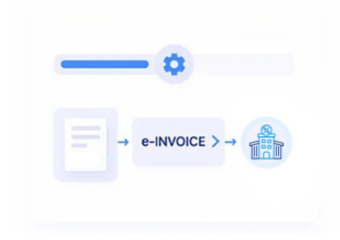
- Extracts invoice data from Business Central
- Validates required invoice and VAT information
- Converts invoice data into structured formats
- Supports electronic invoice exchange through available channels
Why Microsoft Dynamics Users Choose Advintek
- Czech E-Invoicing Alignment: Support invoice workflows with applicable Czech and EU electronic invoicing requirements.
- Process Automation: Reduce manual invoice handling through automated validation, transformation, exchange, and status processing.
- Invoice Visibility: Maintain visibility into invoice processing, validation results, responses, and transaction records.
- Error Reduction: Identify missing or inconsistent invoice information before electronic document processing.
- Scalable Processing: Support recurring and high-volume invoice workflows through connected Business Central integration.
Complete Control Over Czech E-Invoicing Workflows
Invoice Error Detection
Check invoice data, flag errors, and support corrections before electronic submission.
Dashboard and Reporting
Track invoice statuses, validation results, processing records, and reports in one workflow.
Dedicated E-Invoicing Support
Get integration assistance, issue resolution, configuration help, and ongoing e-invoicing updates.
Made for Microsoft Dynamics 365 Business Central Users in Czech Republic
Designed for Czech businesses using Business Central to manage finance, sales, purchasing, inventory, and service transactions through structured electronic invoicing workflows and connected document exchange processes, supporting consistent invoice handling.
- Retrieves invoice records from Business Central
- Reviews invoice details for data accuracy
- Converts records into electronic invoice formats
- Transfers documents through supported exchange networks
Keep Czech E-Invoicing Connected With Business Central
Align Czech e-invoicing requirements with Business Central workflows for structured processing.
Connected to Czech e-invoicing workflows. Managed through Advintek.
Ready e-Invoice System
Frequently Asked Questions Microsoft Dynamics e-Invoicing Czech Republic
How does Advintek connect Czech e-invoicing with Microsoft Dynamics 365 Business Central?
Advintek connects Microsoft Dynamics 365 Business Central transaction data with configured Czech e-invoicing workflows. The integration can extract invoice information, validate required fields, convert records into structured electronic formats, route documents through supported channels, and return processing statuses for monitoring.
What Business Central invoice data can be used for Czech e-invoicing?
Relevant Business Central invoice information can include customer or supplier details, invoice numbers, dates, line items, quantities, prices, payment information, tax data, and applicable VAT details. Advintek maps the required information into structured electronic invoice workflows according to the configured processing requirements.
Does the Business Central e-invoicing integration support invoice validation?
Yes. Advintek can apply configured validation checks to Business Central invoice data before electronic processing. These checks can help identify missing mandatory fields, inconsistent transaction information, incorrect data structures, and applicable VAT information so that issues can be addressed before invoice transmission.
How are Czech electronic invoices exchanged from Business Central?
After Business Central invoice information is prepared and validated, Advintek can convert the relevant transaction data into the required structured format and route the electronic document through the configured e-invoicing channel. Processing responses, validation outcomes, and transmission statuses can then be tracked.
Can Advintek help businesses monitor Czech e-invoices processed through Business Central?
Yes. Advintek supports invoice status monitoring across connected Business Central and e-invoicing workflows. Businesses can track processing results, validation responses, transmission information, exceptions, and relevant invoice records, helping teams review electronic invoice activity and identify transactions requiring further attention.