QuickBooks Desktop Czech Republic Invoicing Support
How QuickBooks Desktop Connects in the Czech Republic
- Template Information Capture: Existing QuickBooks Desktop templates provide invoice details that enter Advintek for structured electronic document preparation.
- Transaction Record Extraction: Relevant transaction information is collected from desktop accounting records without recreating invoices separately.
- Catalogue Detail Conversion: Product and service information is organized into suitable fields for electronic invoice document generation.
- Accounting Reference Preservation: Account codes and transaction references remain associated with processed documents throughout the connected workflow.
- Document Format Preparation: Invoice information is assembled into machine-readable structures suitable for supported Czech Republic e-exchange processes.
- Delivery Confirmation Recording: Electronic processing results are recorded alongside originating transactions for accessible accounting and document references.
Advintek Extends QuickBooks Desktop
Advintek adds an electronic invoicing connection around QuickBooks Desktop, helping businesses digitalize established accounting information without replacing their desktop environment.
- Connects existing desktop invoice templates
- Transfers item and service information
- Preserves accounting transaction references
- Supports multiple company file workflows
Why QuickBooks Desktop Fits the Czech Republic
- Familiar Template Usage: Existing QuickBooks Desktop invoice layouts can continue supplying information while connected electronic document processes operate externally.
- Established Item Management: Product and service lists already maintained within QuickBooks Desktop can support consistent transaction information.
- Preserved Accounting References: Original account classifications and transaction identifiers can remain connected with associated electronic invoice records.
- Multiple Company Support: Separate company files can be connected according to individual business structures and invoicing arrangements.
- Historical Information Availability: Previous desktop records remain valuable references when reviewing customer billing history and financial documentation.
- Controlled User Access: Existing accounting responsibilities can remain separated while electronic invoicing activities operate through the connected integration.
QuickBooks Desktop Digital Capabilities
Invoice Record Search
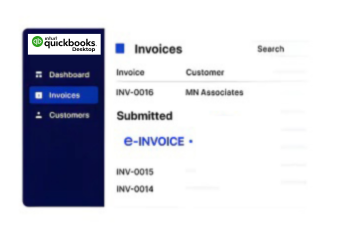
Locate e-invoice records using relevant transaction references, supporting faster document retrieval during accounting activities.
Template Workflow Support
Use established QuickBooks Desktop invoice information as the foundation for connected e-document preparation and processing.
Company File Oversight
Review invoicing activity across connected company files while maintaining separate accounting structures and business records.
QuickBooks Desktop Czech Republic Business Uses
Advintek supports QuickBooks Desktop users across consulting, contracting, professional services, trading, and businesses managing separate accounting files.
- Manage established desktop invoice templates
- Use existing item and service lists
- Reference historical customer billing records
- Connect separate company accounting files
Connect QuickBooks Desktop Today
Connect your QuickBooks Desktop accounting with Advintek for Czech E-invoicing workflows.
Discuss your integration requirements with specialists.
Ready e-Invoice System
Frequently Asked Questions QuickBooks Desktop e-Invoicing Czech Republic
Can QuickBooks Desktop connect with Czech Republic e-invoicing software?
Yes. QuickBooks Desktop can serve as the accounting source while Advintek provides the connected electronic invoicing layer. Relevant desktop transaction information can be transferred and prepared for structured electronic document workflows. This allows businesses to continue using their established accounting software while connecting its invoice records with appropriate Czech Republic e-invoicing processes.
Will existing QuickBooks Desktop invoice templates remain useful?
Existing invoice templates can continue providing important transaction information for connected electronic document workflows. Rather than recreating billing information in another system, relevant fields from QuickBooks Desktop can be used during e-invoice preparation. This can help businesses preserve familiar accounting procedures while adding structured electronic invoicing capabilities around their existing desktop environment.
Can multiple QuickBooks Desktop company files be integrated?
Businesses operating separate QuickBooks Desktop company files may require individual connections based on their accounting structure and invoicing requirements. Advintek can support configured integration workflows around the relevant company environments, allowing organizations to maintain distinct accounting records while establishing connected electronic invoicing processes for applicable business transactions.
What happens to historical QuickBooks Desktop invoices?
Historical invoices remain within the existing QuickBooks Desktop accounting environment and can continue serving as references for financial administration. Connected electronic invoicing processes primarily address applicable current transactions. Maintaining access to previous records can help accounting teams review customer billing history, investigate older transactions, and reference supporting information when handling electronic invoice documentation.
Can QuickBooks Desktop sales receipts support electronic workflows?
Where the configured business workflow requires sales receipt information, relevant records can be incorporated into connected electronic document processing. Advintek can work with applicable transaction information from QuickBooks Desktop and prepare it according to the required workflow. This provides businesses with greater flexibility when their accounting operations include both invoices and other sales transaction types.