

Microsoft Dynamics 365 Sales Data For Invoicing
How Microsoft Dynamics 365 Sales Handles Invoices
- Customer Record Verification: Customer accounts and contacts are checked before associated transaction information enters the invoicing process.
- Commercial Opportunity Assessment: Relevant opportunity details are reviewed to establish the commercial context behind potential billing activity.
- Accepted Quote Confirmation: Accepted quote information is compared against order and customer records before invoice data preparation.
- Sales Order Validation: Sales order details are checked for products, quantities, and customer references before document creation.
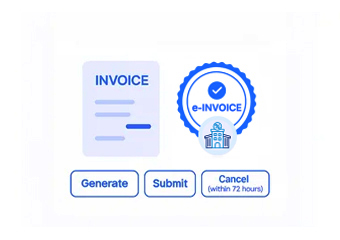
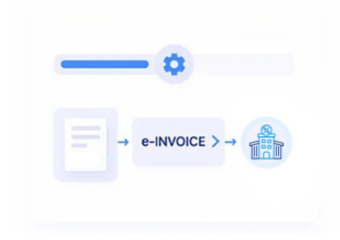
- Electronic Invoice Preparation: Verified CRM information is assembled into electronic invoice data for the configured Czech Republic workflow.
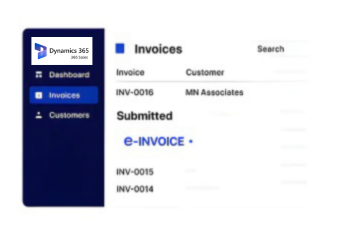
- Invoice Status Synchronization: Invoice results can return to connected processes, providing visibility across sales and financial activities.
Microsoft Dynamics 365 Sales Across Revenue Workflows
Microsoft Dynamics 365 Sales connects accounts, contacts, leads, opportunities, quotes, orders, and sales activities, creating valuable commercial information for Czech Republic electronic invoicing.
- Account records establish customer billing context
- Opportunities connect revenue with transactions
- Quotes provide commercial pricing references
- Orders validate finalized sales information
Business Value From Microsoft Dynamics 365 Sales
- Customer Record Accuracy: Use centralized account and contact information to reduce inconsistencies across customer-facing e-invoice documents.
- Revenue Context: Associate invoice activity with opportunities to preserve the commercial background behind sales transactions.
- Quote Order Alignment: Compare accepted quotes with sales orders before invoice preparation to identify transaction inconsistencies.
- Sales Traceability: Follow invoice records through opportunities, quotes, orders, and customer accounts for clearer transaction visibility.
- Order Verification: Validate products, quantities, and customer information before finalized sales transactions enter invoicing workflows.
- CRM Financial Continuity: Connect sales activity with invoice outcomes so commercial and financial teams share consistent transaction references.
Microsoft Dynamics 365 Sales Invoice Insights
Opportunity Revenue Patterns
Analyze invoicing activity across opportunity stages to identify changing revenue realization patterns.
Quote Conversion Signals
Compare quoted transactions with resulting invoices to examine commercial conversion and billing activity.
Order Billing Trends
Review invoiced sales orders by product or account to identify recurring transaction patterns and trends.
Czech Republic E-Invoicing With Microsoft Dynamics 365
Microsoft Dynamics 365 Sales can connect customer and sales information with Czech Republic electronic invoicing while preserving relationships between commercial records and invoice outcomes.
- Accounts provide verified customer references
- Quotes establish agreed commercial information
- Orders confirm finalized sales activity
- Invoice statuses support sales visibility
Simplify Czech Republic Sales Invoice Processing
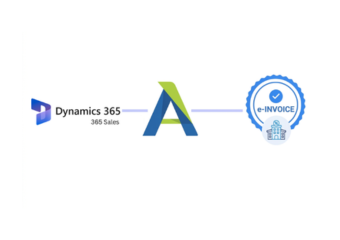
Connect Microsoft Dynamics 365 Sales records with Czech e-invoicing through Advintek.
Create connected workflows across sales and billing operations.
Ready e-Invoice System
Frequently Asked Questions Microsoft Dynamics e-Invoicing Czech Republic
How does Microsoft Dynamics 365 Sales support Czech Republic e-invoicing?
Microsoft Dynamics 365 Sales can provide customer and sales information required by connected invoicing workflows. Account, contact, opportunity, quote, and order records can supply relevant commercial details, while Advintek can coordinate invoice preparation, validation, routing, status handling, and reconciliation between the CRM environment and electronic invoicing process.
Which Microsoft Dynamics 365 Sales records are useful for e-invoices?
Several sales records can contribute to invoice preparation depending on the business workflow. Account and contact information can identify the customer, while opportunities, quotes, and sales orders can provide commercial context, product information, quantities, and transaction references needed for a more complete electronic invoice.
Can Microsoft Dynamics 365 Sales orders be connected with invoice processing?
Sales orders can serve as an important transaction reference for e-invoice preparation. Relevant order information can be validated against customer and commercial records before invoicing, helping establish a direct relationship between the finalized sale recorded in Microsoft Dynamics 365 Sales and the resulting e-invoice document.
What happens to Microsoft Dynamics 365 Sales information after invoice processing?
Relevant processing results can be associated with the originating sales records through the integration. This provides teams with greater visibility over invoice outcomes while retaining useful links to accounts, opportunities, quotes, and orders, supporting reconciliation and allowing sales and finance users to follow the transaction beyond invoice creation.
Why use Advintek for Microsoft Dynamics 365 Sales Czech Republic e-invoicing?
Advintek can connect Microsoft Dynamics 365 Sales with Czech Republic electronic invoicing without treating billing as a separate process from sales operations. Relevant CRM data can support document preparation and validation, while connected routing, status handling, and reconciliation help maintain continuity between customer transactions and resulting invoice records.