

Microsoft Power Automate Supports Czech Republic Invoicing
How Microsoft Power Automate Processes Invoices
- ERP Workflow Trigger: Start automated invoice processing when approved financial records meet predefined workflow conditions for FACZ processing.
- Data Collection Step: Retrieve relevant customer, tax, and transaction information from connected ERP sources securely for invoice preparation.
- Approval Routing Path: Direct invoice records through configured finance approvals before Czech Republic electronic submission and structured processing.
- Validation Rules Check: Apply workflow rules to identify incomplete invoice information before compliant document transmission begins through configured channels.
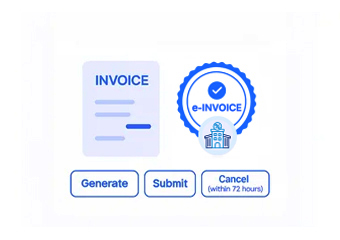
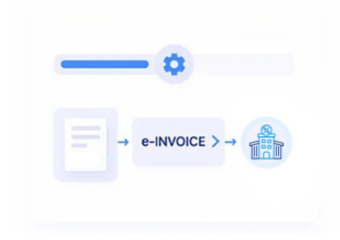
- Document Delivery Flow: Send validated electronic invoices through the connected Czech Republic processing workflow to designated recipients.
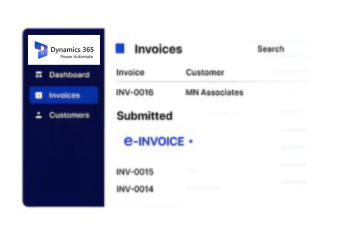
- Status Synchronization Process: Update ERP records with processing results for continued financial workflow management and transaction visibility.
Advintek Extends Power Automate Workflows
Advintek connects Microsoft Power Automate with ERP invoice workflows, coordinating approvals, validation, tax information, document transmission, and status updates across connected financial systems.
- Connects ERP invoices with automated Czech workflows
- Routes approvals before electronic invoice submission
- Validates tax data through workflow rules
- Synchronizes invoice statuses with ERP records
Microsoft Power Automate Delivers ERP Benefits
- Automated Approval Control: Route financial documents through defined approval stages while reducing unnecessary manual intervention across ERP workflows.
- Consistent Data Exchange: Maintain aligned invoice information across ERP records, automation flows, and connected business applications.
- Structured Exception Handling: Identify workflow issues and direct affected invoice records toward appropriate finance teams promptly.
- Connected Process Visibility: Monitor invoice progress across automation stages without disrupting established ERP financial operations.
- Flexible Workflow Scaling: Adapt automation flows as transaction volumes and business requirements develop across connected financial environments.
- Centralized Automation Governance: Manage invoicing processes through structured automation rules and configurable workflow conditions across ERP systems.
Microsoft Power Automate Enables Process Intelligence
Flow Performance Analysis
Review automation activity to identify delays across invoice processing stages consistently.
Exception Pattern Review
Examine recurring workflow errors to improve ERP invoice processing reliability overall.
Approval Cycle Tracking
Compare approval durations across departments to identify recurring process bottlenecks regularly.
Microsoft Power Automate Supports Czech Operations
Businesses using Microsoft Power Automate can connect ERP finance processes with Czech Republic e-invoicing through automated workflow orchestration.
- ERP invoice triggers start automated workflows
- Finance approvals follow defined routing rules
- Tax fields undergo structured validation checks
- Invoice statuses synchronize across connected systems
With Microsoft Power Automate
Start your Czech Republic e-invoicing integration with Advintek today.
Automate ERP invoice workflows with confidence.
Ready e-Invoice System
Frequently Asked Questions Power Automate e-Invoicing Czech Republic
How does Microsoft Power Automate connect ERP systems to Czech Republic e-invoicing?
Microsoft Power Automate can coordinate invoice information between an ERP platform and connected electronic invoicing processes. Advintek uses workflow automation to manage triggers, data collection, approval routing, validation, document transmission, and status synchronization, allowing ERP finance teams to maintain a structured process for Czech Republic electronic invoice handling.
Which ERP data can Power Automate use for invoice workflows?
Depending on the connected ERP and implementation, Power Automate can work with customer information, transaction records, tax fields, invoice details, approval data, and financial references. Advintek can help structure the relevant information so that appropriate ERP records feed the Czech Republic e-invoicing workflow without creating disconnected manual processes.
Where do finance approvals fit into the Power Automate integration?
Finance approvals can be incorporated directly into the automated workflow before an invoice reaches the electronic submission stage. Defined routing conditions can determine which records require review and which users or departments handle them, helping businesses coordinate ERP invoice approvals with their existing financial control processes.
Could Power Automate handle invoice validation before submission?
Yes. Workflow conditions can check required invoice information before documents proceed toward electronic processing. Validation can cover relevant customer, tax, transaction, and financial fields according to the configured integration. Advintek can structure these checks around the organization’s ERP data and Czech Republic e-invoicing workflow requirements.
What happens to invoice statuses after electronic processing?
Processing results can be synchronized with relevant ERP records through the connected Power Automate workflow. This provides finance teams with clearer visibility into document progress and follow-up requirements. The available status information and synchronization approach depend on the connected ERP system, workflow configuration, and implementation requirements.